
Showing posts with label eeeuser. Show all posts

Tuesday, December 9, 2008

Comments and Santa

Day 35

Cybermoron from the EeeUser forum informed me that comments weren't working (thanks, Steve!), so if you were interesting in sharing your thoughts, please do so - the problem has been fixed. And here I thought I was writing to myself! At least I know it was a problem with the comments on my blog and not with the content. I was afraid it was coming across as tasteless or obscene.

The approaching holiday season has given me an opportunity to do a little street team work for the Eee PC. For the past month it has gone pretty much everywhere with me; it has raised some eyebrows, and sparked some interesting conversations. I've made sure to contribute to these honestly and fairly, revealing all the cons as well as pros to owning this little guy. Most agree that the positive outweighs the negative; I know of at least two Asus Eee PCs that have been purchased because of me - One of my colleagues purchased one for each of her two children. There were others that had only heard whispers of these things known as netbooks, and I'd like to think I shed enough light on the subject to persuade them to seriously consider buying one to put under the Christmas tree.

If you've managed to avoid the naughty list this year, here's why you should ask Santa for an Asus Eee PC.

  • Excellent battery life - With screen brightness at about 60% and wireless on, I get almost 4 hours of intermittent use before needing to plug in.
  • Basic Mode & Advanced Mode - With Xandros Linux you get something not available on Windows - a choice for user interface.
  • Portability - I carry mine around like it's a hardcover book. It I were a woman and had a purse, it would easily fit in there next to (or in place of!) the daily planner and Blackberry.
  • Price and Compatibility - It's under $300 and it's 99% compatible with proprietary applications such as Microsoft Office.
Friday, December 5, 2008

I Miss Ktorrent Continued

Days 29-31

I have spent the past three days trying to reinstall Ktorrent. It's becoming the itch that can't be scratched. Here is the truncated list of all my failed attempts so far.

  • After checking previous posts, I started a new thread on EeeUser in hopes of the answer. No luck yet.
  • Someone suggested removing all references to the offending libqt3c102-mt file. It didn't work (but here is the how-to if you want to give it a go).
  • I found an article explaining how a similar error was coming up when people tried to install an old version of Skype. The article linked to the Skype homepage with directions to reinstall an updated version which also installs the needed dependencies. Not only did it not work, my Eee damn near threw a fit when I tried to downgrade my version of Skype.
  • Another site said to add two new repositories, so I did. This is the current list on my laptop with the new ones appearing at the end.
deb http://update.eeepc.asus.com/1.6/ common main
deb http://update.eeepc.asus.com/1.6/ p900 main
deb http://update.eeepc.asus.com/1.6/ en main
deb http://updates.xepc.org/ p701 main
deb http://xnv4.xandros.com/eeepcrepos/ p701 etch main
deb http://dccamirror.xandros.com/dccri/ dccri-3.0 main
deb http://www.geekconnection.org/ xandros4 main
deb http://download.tuxfamily.org/eeepcrepos/ p701 main etch
deb-src http://cle.linux.org.tw/EeePC/1.1 v1.1 main
deb http://updates.xepc.org/ p701 dev
deb http://ftp.linux.hr/asuseee/xandros/ binary/
deb-src http://ftp.linux.hr/asuseee/xandros/ source/

Adding the repositories got rid of the original libqt3c102-mt error, but only to replace it with a more complexing one:

The following packages have unmet dependencies:
ktorrent: Depends: libgeoip1 (>= 1.3.17) but it is not installable
E: Broken packages

I have no idea what libgeoip1 is. It doesn't even come up in a Google search. Any ideas?

Wednesday, November 19, 2008

USB & BIOS - Part I

Day 16

I'm being optimistic with the title of this post - I'm making the assumption that there will be a Part II post where all the problems listed below will be rectified. Maybe I'm setting myself up. Only tomorrow will tell.

My brother gave me Ubuntu loaded onto an 8GB flash drive for my birthday, and today I decided to see how it would perform on my laptop. I know it wouldn't be ideal since there is an Eee-specific Ubuntu, but it would at least give me a chance to go through the process of booting from a USB.

I knew I would have to change the boot order, so first step was to change some settings in the BIOS. One little problem though - the BIOS splash screen had long since disappeared during start up. After a few helpful suggestions from the folks at EeeUser, I figured out that quick boot was enabled. To fix this, all I needed to do was frantically press F2 immediately after powering on the Eee. From there I disabled the quick boot and then went to change the boot order.

I did not see an option for booting to a USB, per se. The closest option referred to it simply as an "external device." Strangely enough, it was already listed at the top of the boot sequence. Anticipating a quick solution to the task and an easy blog entry, I plugged in my flash drive, saved changes and restarted the laptop. It booted normally into Xandros. Crap.

Here's where it gets tricky. I noticed that upon loading KDE, the USB icon in the menu was curiously absent. Even though the flash drive was present, the Eee was not detecting it. I unplugged it, and then put it back in - this time it detected the USB drive no problem. I tried shutting down and restarting several more times, all with the same outcome.

For some reason the Eee is not detecting a flash drive that is loaded prior to powering on. This is a definite problem for anyone looking to boot to a USB, although I know it is possible based on countless wikis and forum conversations. My project for tomorrow is first figure out why my Eee is not playing nice with BIOS and USB devices. Stupid acronyms.

Wednesday, November 12, 2008

Playing AVIs

Day 9

I ran into some trouble today while trying to play a movie in .avi format. My first instinct was to download as many codecs as possible, but I stopped myself. I'm trying not to let this machine get screwy as a result of strange downloads or stupid user decisions. For example, I keep getting errors anytime I either apt-get update on the console, or update Synaptic. I'm sure I added a repository wrong at some point. Not a big deal, but it serves as a good example why I don't trust myself installing codec packs.

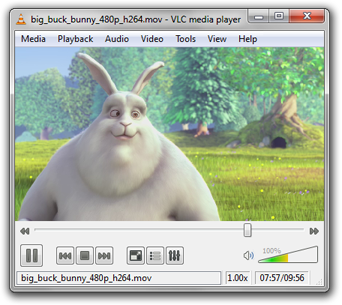
Instead I decided to install VLC. It's a small download, and is the standard for playing .avi files. It required a repository add, but I must have done it right this time, because it worked like a charm. Here's the console commands I used.

sudo kwrite /etc/apt/sources.list
deb ftp://ftp.uk.debian.org/debian stable main contrib non-free
sudo apt-get update
sudo apt-get install vlc

VLC media player is a highly portable multimedia player for various audio and video formats as well as DVDs, VCDs, and various streaming protocols.

I also spent a good deal of time today spreading the word about my Eeexperiment in the form of blog listings and a few social bookmarking sites (incidentally, if you like my site, feel free to share it on Digg, Delicious, or any other site of merit). I also registered at Eeeuser, and was immediately welcomed by their diverse group of users. In my first post I was introduced to Eee users ranging from soccer moms to self-proclaimed "old men." All of them share in my newfound enthusiasm for the Eee.