
Showing posts with label VLC. Show all posts

Tuesday, January 20, 2009

Back to Xandros

Day 77

I have seriously trashed the eee in the past, and I really don't want to have to hit the F9 key at bootup ever again. It just takes too long to get things set up again.
- John MacGibbon

John posted that comment last Thursday, and I know his pain all too well. I have removed gOS from my Eee, and am once again using Xandros in advanced mode. This marks the second time I have abandoned another operating system and retreated back to the default OS for the Eee.

Here's the strange thing - every time I restore Xandros, I fail to reinstall a program that previously had no problem installing. I already lamented in several posts about the loss of kTorrent after I wiped the Eee while trying to install Ubuntu-Eee. I am now experiencing the same frustrations with video/audio player VLC.

I had it installed before, and I know I'm installing from the same source because I used my original post as a tutorial.

So John, consider yourself lucky.

This is what it looks like when I try to install VLC on my restored Eee.
Wednesday, November 12, 2008

Playing AVIs

Day 9

I ran into some trouble today while trying to play a movie in .avi format. My first instinct was to download as many codecs as possible, but I stopped myself. I'm trying not to let this machine get screwy as a result of strange downloads or stupid user decisions. For example, I keep getting errors anytime I either apt-get update on the console, or update Synaptic. I'm sure I added a repository wrong at some point. Not a big deal, but it serves as a good example why I don't trust myself installing codec packs.

Instead I decided to install VLC. It's a small download, and is the standard for playing .avi files. It required a repository add, but I must have done it right this time, because it worked like a charm. Here's the console commands I used.

sudo kwrite /etc/apt/sources.list
deb ftp://ftp.uk.debian.org/debian stable main contrib non-free
sudo apt-get update
sudo apt-get install vlc

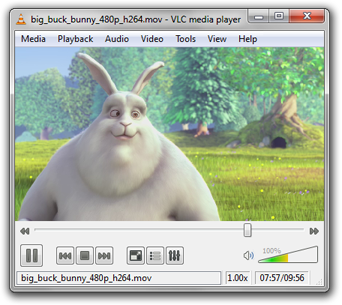
VLC media player is a highly portable multimedia player for various audio and video formats as well as DVDs, VCDs, and various streaming protocols.

I also spent a good deal of time today spreading the word about my Eeexperiment in the form of blog listings and a few social bookmarking sites (incidentally, if you like my site, feel free to share it on Digg, Delicious, or any other site of merit). I also registered at Eeeuser, and was immediately welcomed by their diverse group of users. In my first post I was introduced to Eee users ranging from soccer moms to self-proclaimed "old men." All of them share in my newfound enthusiasm for the Eee.